
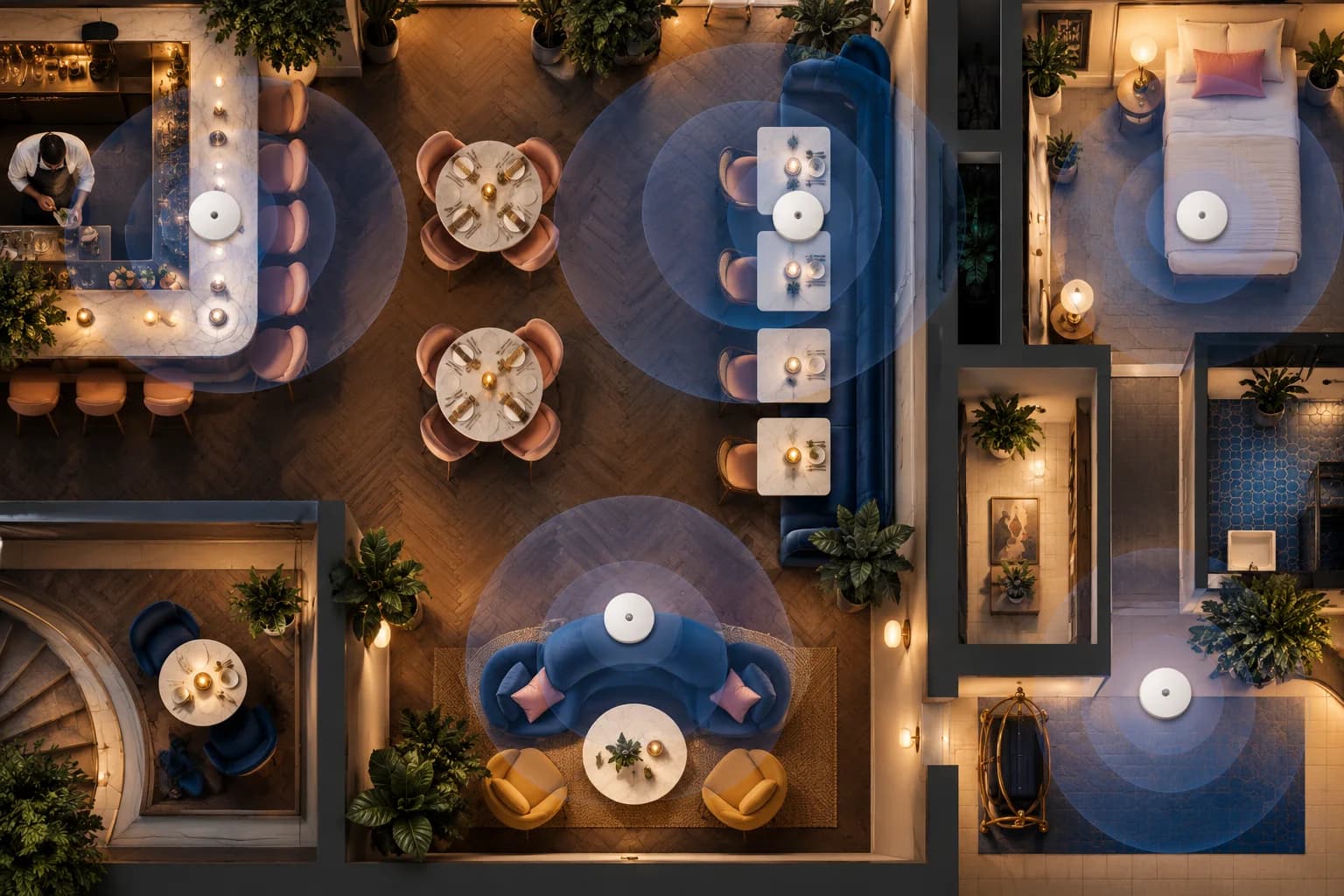
Placement Is a Marketing Decision Wearing a Technical Costume
Every guest WiFi marketing metric downstream, portal loads, opt-in rate, session data quality, starts with a radio conversation between a phone and an access point. If that conversation is weak, the portal loads slowly or not at all, the guest gives up, and your capture rate quietly bleeds out at the exact moment it should be filling your list. Venues agonise over portal design while running one consumer router behind the bar, which is like perfecting a menu nobody can read in the dark.
You do not need RF engineering to get placement right in a venue. You need a handful of principles, applied honestly to your floor plan.
The Physics You Cannot Negotiate With
5 GHz is your workhorse and it hates walls. Modern phones prefer 5 GHz, which carries far more data but attenuates hard through brick, concrete, tile, and especially anything containing metal or water. A signal that feels strong through one stud wall dies through a kitchen wall lined with stainless steel.
Put this guide to work
Free worksheets, campaign templates and a venue growth calculator. No email gate.
2.4 GHz travels further and performs worse. It penetrates better but, in most regions, has only three usable non-overlapping channels, 1, 6, and 11, and it is the band where every microwave oven, Bluetooth device, and neighbouring network dumps interference. In a dense urban venue, 2.4 GHz is best treated as a compatibility fallback, run at reduced power.
Every venue material is an attenuator. Glass display fridges, wine racks, espresso machines, aquariums, decorative metal screens, packed coat racks in winter. Humans are mostly water too: a room that tests perfectly when empty behaves differently at Friday capacity.
Coverage and capacity are different problems. One AP might cover your whole floor at usable signal, and still struggle at service peak because dozens of devices are contending for its airtime. In busy venues, capacity is the usual failure. The client figure on an AP's datasheet is a ceiling, not a planning target, so plan well below it, and count devices, not people: a couple at a table may carry four radios.
Placement Rules by Venue Type
Restaurants and cafes. Mount on the ceiling, centred over the seating you most want covered, not in the office where the router happened to live. Ceiling placement gives line of sight over heads and furniture. Do not plan from a square metre figure; plan from walls and line of sight, and add an AP whenever a kitchen, a structural wall, or a floor change interrupts it. The two dead zones that cost the most captures: the entrance area, where the portal makes its first impression while a guest waits to be seated, and outdoor seating, which usually needs its own outdoor-rated AP rather than hope and a window.
Hotels. Corridor-mounted APs serving rooms through walls is the classic budget design and the classic complaint generator: every room gets mediocre signal and the corridor gets superb coverage nobody uses. Better practice is fewer walls between AP and guest, meaning in-room or every-second-room placement in new fits, or at minimum alternating corridor APs tight against room clusters. Lobbies, bars, and breakfast rooms need their own capacity because that is where devices concentrate, and where your portal does most of its capturing. Lifts and stairwells are concrete-and-steel signal graves; do not expect coverage to pass through them.
Lounges, bars, and nightlife. High density, small area, standing crowds that attenuate signal, and peak load concentrated into a few hours. Two or three well-placed APs sharing the load beat one high-power unit, and mounting high matters more than anywhere else because the room is full of bodies. Dark decor often comes with dark metal ceilings and drink shelving; test with the room configured as it operates, not as it looks at 10 a.m.
Channels and Power: The Settings Worth Touching
Both TP-Link Omada and Ubiquiti UniFi controllers will auto-assign channels, and their defaults are a reasonable start. Three interventions pay off in venues:
- Turn 2.4 GHz power down, not up. Big overlapping 2.4 GHz cells interfere with each other. Small cells with clean handoff outperform loud ones. If guests far from any AP hold onto 2.4 GHz with one bar, lower power actually helps them roam to a better AP.
- Keep 2.4 GHz on 1, 6, and 11 only, distributed so adjacent APs never share a channel.
- On 5 GHz, let the controller use the wider channel plan, and if radar-adjacent channels cause rare disconnects in your area, exclude them and move on. Consistency beats theoretical maximums in a venue.
Resist the instinct to set everything to maximum power. It is a common self-inflicted wound in venue WiFi.
The Site Survey You Can Do This Afternoon
A professional survey is worth it for hotels and multi-floor sites. For a single-room venue, a phone and honesty get you most of the way:
- Load a WiFi analyser app on a mid-range Android phone, not the newest flagship, because your guests do not all carry flagships.
- Walk every seat, the entrance, the queue point, the terrace, and the toilets, noting signal from your AP and how crowded each channel is with neighbours.
- At each weak spot, do the thing that matters: open the portal and time it. Numbers are diagnostic; the guest experience is the verdict.
- Repeat during a busy service. Empty-room surveys flatter every network.
Mark the weak zones on a floor plan and place or move APs to serve them, favouring ceiling mounts, line of sight, and centre-of-area positions. Then re-test.
Wire It Properly
Every fixed AP deserves a cable. Wireless mesh uplinks exist and both platforms support them, but a meshed AP spends airtime relaying traffic, cutting what it can serve, and it inherits every problem of the link back. Use mesh for the terrace pole you genuinely cannot cable, and run cable everywhere else; while the ceiling is open, pull one spare run to each location, because the cable is cheap and the second visit is not. Power over Ethernet from the switch keeps mounting clean, which matters when the AP lives in your dining room's sight lines.
Placement Feeds the Data
Get placement right and the portal loads fast, fewer guests abandon a spinner, and your visit data reflects actual presence instead of signal luck. When not to spend: if your survey shows good signal everywhere guests sit and the problem only appears at peak, look at the uplink and bandwidth limits before buying more APs.
Coverage first, capture second. Once the radio layer is honest, connect it to a portal and let the network start earning its keep.
Get the free Guest WiFi Growth Kit
A diagnostic worksheet, signage copy guests can follow, a campaign brief and a monthly scorecard. Yours to print and share with your team.
Share this article